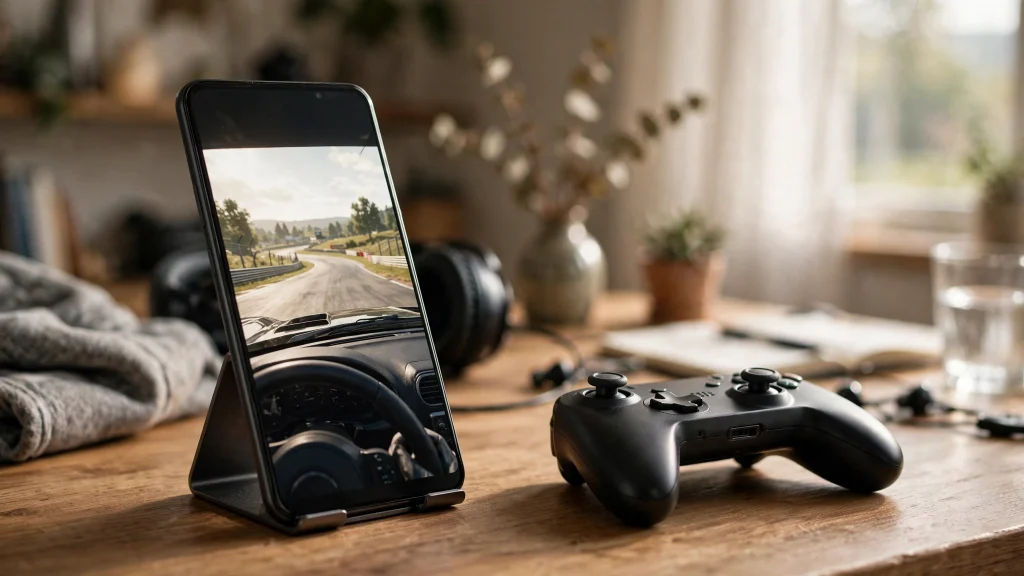
If you have ever wished you could play your favorite Windows PC games on your Android phone without carrying a laptop around, you are not alone. That exact wish is what created GameHub: an Android app that runs Windows games on your phone through compatibility layers. And GameHub Lite is the community-made version of it that strips out the parts many users never asked for, like trackers, forced logins, and extra bloat.
This guide explains what GameHub Lite is, how it works, who it is for, and what you should realistically expect before you install it. No jargon dumps, no hype. Just the facts a beginner needs.
First, What Is GameHub?
GameHub is an Android application that lets you play games built for Windows on your phone. It does this by translating Windows system calls into something Android understands, a process handled by compatibility layers similar to Wine and Proton, which PC gamers may already know from Linux gaming.
In practice, that means you can take a Windows game you own, import it into the app, and launch it from a library on your phone. The app handles the translation in the background so you can tap, swipe, and play with touch controls or a gamepad. It is not cloud streaming: the game runs on your device, so you do not need a fast internet connection while playing.
What Makes the Lite Version Different?
GameHub Lite is a modified, community-maintained build of the original app. It is not made by the same team as the official GameHub. Independent developers took the app and removed the pieces that bothered privacy-minded users, then shared the result for free.
Here is what the Lite build is known for:
- No trackers or telemetry. The Lite build removes the analytics and tracking code that phones home in the original app. Your play sessions stay on your device.
- No forced login. The official app asks you to create an account and sign in. GameHub Lite skips that entirely. You open the app and play.
- Smaller app size. Stripping out login systems, analytics SDKs, and unused extras shrinks the download to roughly 52 MB, which is noticeably lighter than the official build.
- Works offline. Once installed, you do not need an internet connection to launch your imported games. Everything runs locally on your phone.
The trade-off is that Lite is maintained by community volunteers, not a company. Updates may arrive a little later than the official release, and support comes from community channels rather than an official help desk.
How Does It Run PC Games on a Phone?
Your phone and a Windows PC speak completely different languages at the system level. GameHub Lite bridges that gap with compatibility layers that intercept the instructions a Windows game sends and convert them on the fly into instructions Android can execute.
Graphics work the same way. Windows games talk to the graphics card through DirectX, which Android does not speak. The translation layer converts those DirectX calls into Vulkan or OpenGL ES calls that your phone’s GPU understands. This happens in real time, which is why performance depends heavily on your phone’s hardware.
A few practical consequences follow from this design:
- Older and less demanding games usually run best. Think indie titles, classic RPGs, and games from the 2000s and early 2010s.
- Modern AAA games are generally too heavy for phones. Even a flagship Android device is far weaker than a gaming PC.
- Compatibility varies game by game. One title may run flawlessly while another crashes on launch, and the only way to know is to test.
Who Is GameHub Lite For?
You value your privacy
Mobile apps are notorious for bundling analytics. If you dislike the idea of your gaming habits being collected and sent to third parties, the Lite build’s stripped-down approach is the whole point.
You hate mandatory accounts
Some people just want to play a game without creating yet another account. GameHub Lite opens straight into the app with no sign-in wall.
Your phone is short on space
At around 52 MB, the Lite build is kind to phones with limited storage. The games themselves still take space, of course, but the app itself is lean.
You like tinkering
Getting a Windows game running on Android sometimes needs a little experimentation with settings. If you enjoy that kind of hands-on tweaking, you will feel at home.
What You Will Need to Get Started
- An Android phone or tablet with a reasonably modern chip. Mid-range devices from the last few years are a good starting point.
- A few gigabytes of free storage for the app plus your games.
- Windows games you legally own, in a format you can transfer to your phone.
- Permission to install apps from outside the Play Store, since GameHub Lite is distributed as an APK from its GitHub repository rather than through Google Play.
You do not need a rooted phone, a PC connected while playing, or any paid subscription.
Honest Limitations You Should Know
Not every game will run
Compatibility is genuinely hit or miss. Games with aggressive anti-cheat systems, heavy DRM, or very new graphics APIs are the most likely to fail.
Performance is not PC-level
Translation layers cost performance. A game that runs at 60 fps on a modest laptop might run at 20 to 30 fps on your phone, or need its settings lowered.
Battery and heat are real factors
Running a translation layer plus a 3D game pushes your phone hard. Sessions will drain the battery faster than normal mobile games, and your phone may get warm.
Community support, not corporate support
If something breaks, you are relying on community forums, issue trackers, and guides like this one. There is no official support line for the Lite build.
A Quick Note on Legality
GameHub Lite itself is just a tool, and using it is fine. The important rule is about games: only import and play games you legally own. Downloading cracked or pirated copies of commercial games is illegal in most countries and can expose you to malware.
Conclusion
GameHub Lite is a lean, privacy-respecting way to play Windows games you own on your Android device. It drops the trackers, the forced login, and the extra weight of the official app, and it works fully offline once set up. It will not replace a gaming PC, and it needs realistic expectations about compatibility and performance, but for what it is, it is an impressive piece of community engineering.
Read next:
Pingback: How to Download and Install GameHub Lite on Android
Pingback: Best Games to Play on GameHub Lite: Compatibility Guide
Pingback: GameHub Lite vs Official GameHub: Which Is Better?
Pingback: Is GameHub Lite Safe? Privacy and Security Explained